AI Outfit Generator: How to Create and Preview New Looks
By the Taupix Team. Last updated September 2026.
An AI outfit generator can help turn a style idea into something you can actually see. Depending on the tool, it may suggest outfit combinations from a prompt, create a look from a reference, or preview clothing on a photo of a person.
Those are related but different jobs. If you want outfit inspiration, start with a description of the occasion and style. If you want to see a specific look on a person, use a photo and a clothing reference. This guide explains how to choose the right workflow and get more useful results.
Outfit comparisons: refine the look, not the person
There is no single correct way to dress. These illustrative comparisons show how a clearer style direction can make an outfit feel more cohesive: choose a palette, match the clothes to the occasion, and change only what you want to explore. Personal taste still decides what feels right to wear.
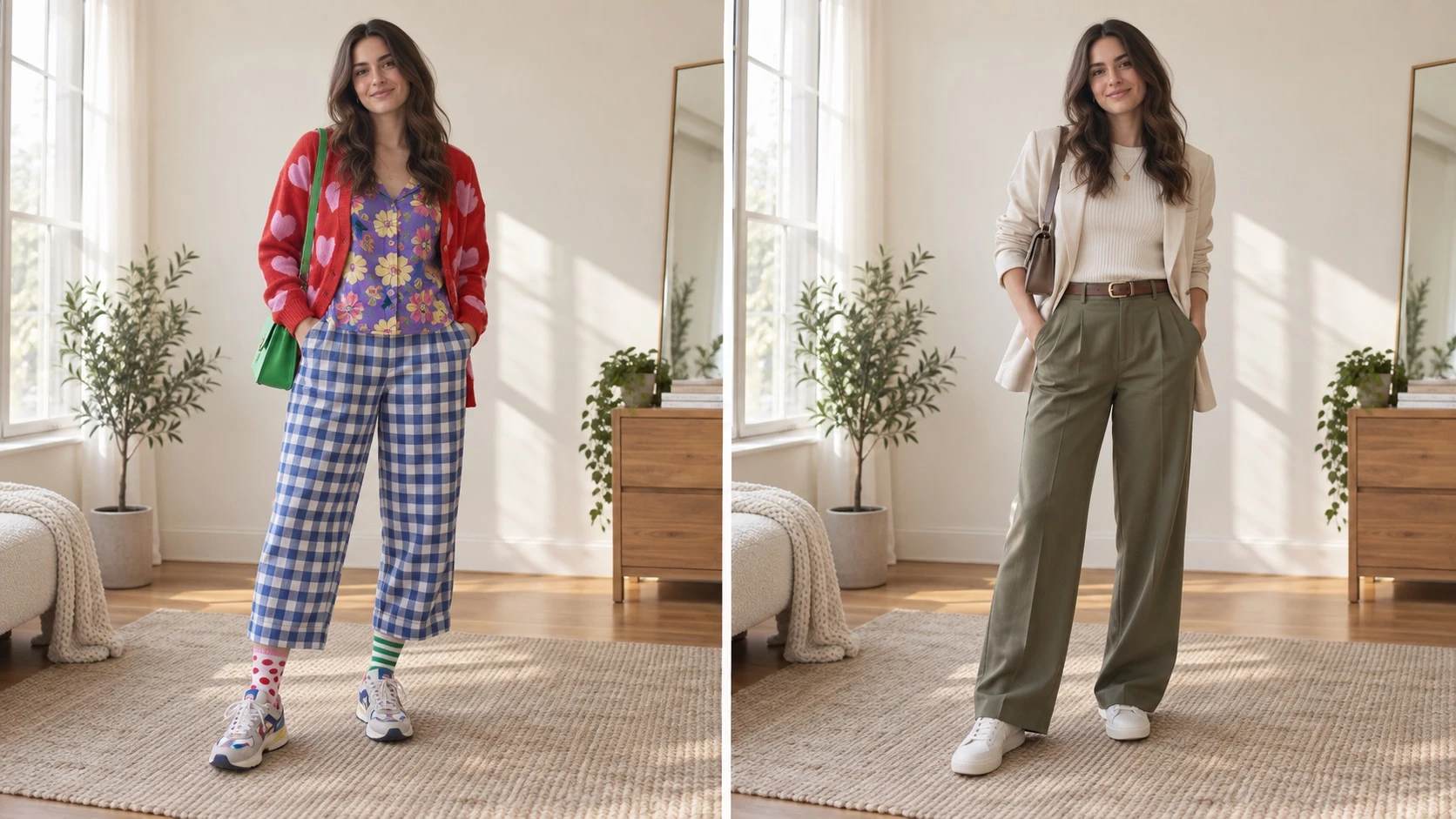
Instagram-inspired: keep the palette intentional
An editorial or Instagram-inspired look often feels polished when a few colors and shapes work together. If a result feels busy, simplify the prints or use one accent color instead of adding more pieces.
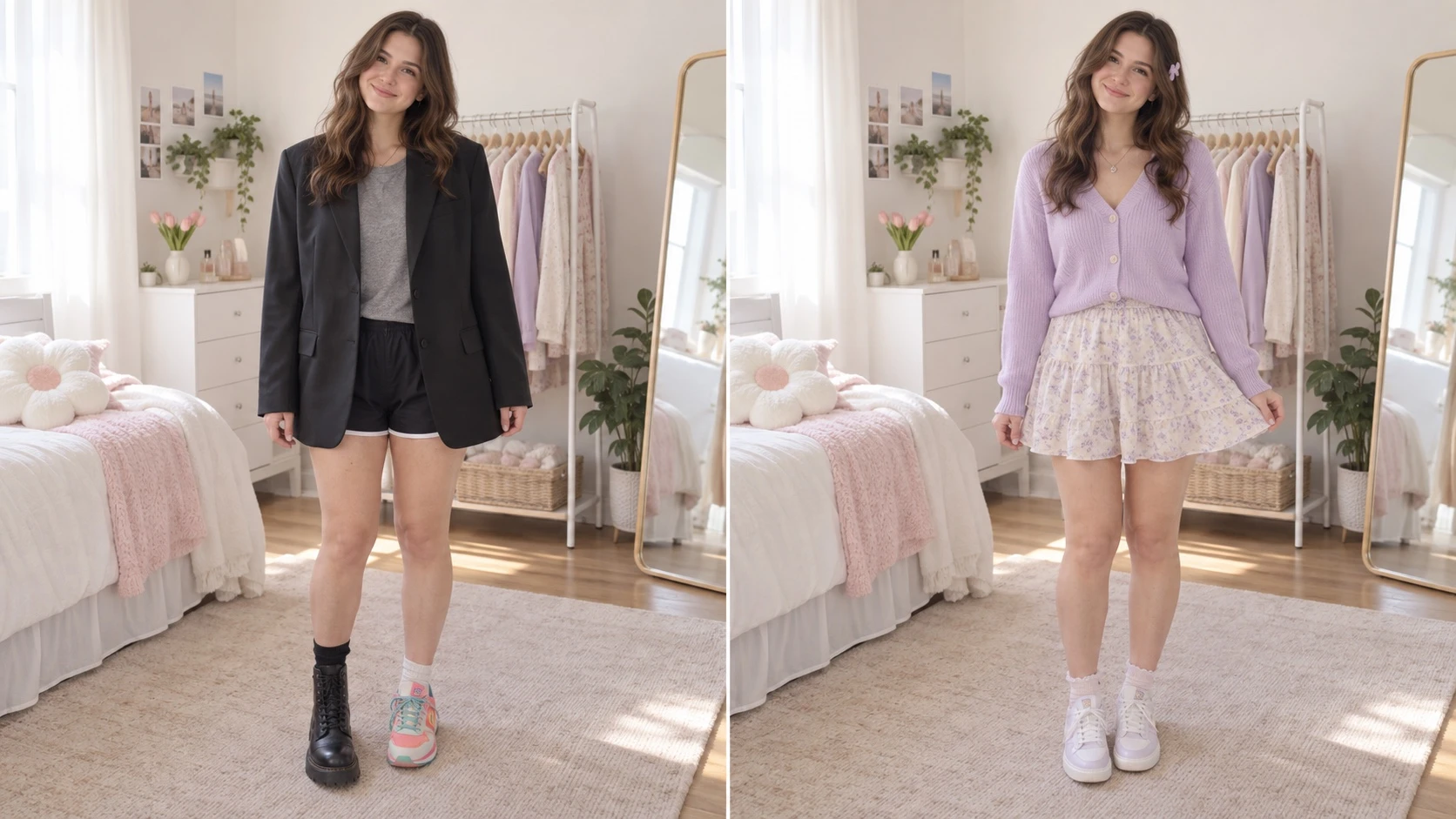
Cute style: use a soft palette and one playful detail
For a cute outfit, choose a gentle color palette and one or two playful details. A pastel cardigan and skirt can feel more intentional when the shoes and accessories stay simple.
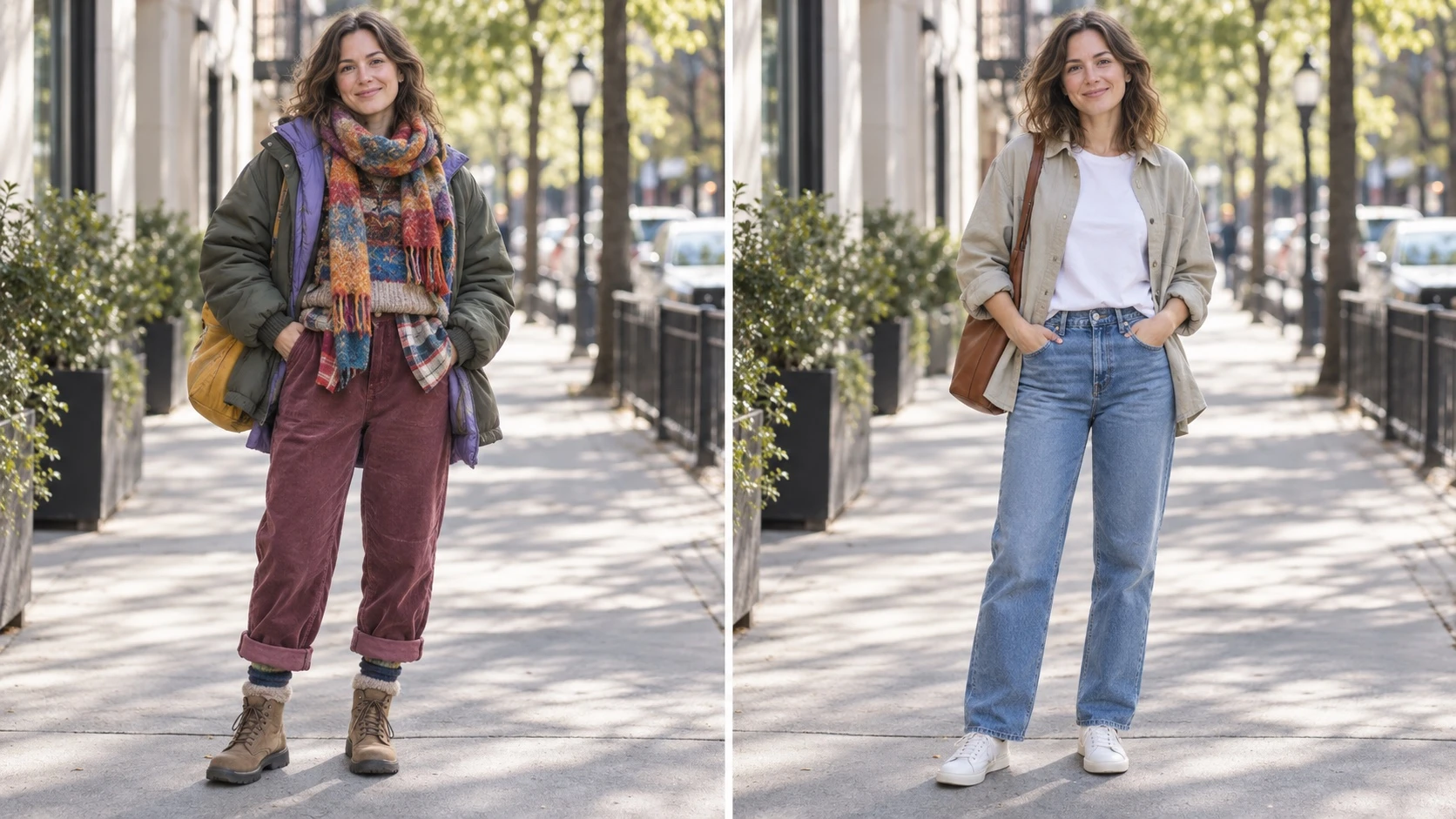
Everyday style: match the layers to the occasion
For an everyday outfit, start with comfortable basics and add one light layer. If the look feels bulky, remove a layer or ask for a simpler silhouette rather than changing the person or setting.
What does an AI outfit generator do?
An AI outfit generator uses a written prompt, an image reference, or both to create clothing ideas. Some tools make standalone fashion images. A virtual try-on workflow applies a new outfit to a photo, so you can preview how a style might look on that person and in that pose.
For photo-based outfit changes, the source image matters. A clear, well-lit photo with the clothing area visible gives the tool more information to work with. A product photo, flat lay, or reference outfit can help guide the garment’s shape, color, and material.
How to create an outfit preview from a photo
- Choose a useful starting photo. Use a sharp image with the person and the clothing area in view. Avoid heavy shadows, motion blur, or arms and accessories covering the garment you want to change.
- Decide what should change. Be specific about the garment and the overall look: for example, a cropped denim jacket over a white T-shirt, or a relaxed linen suit in a warm neutral color.
- Add a clothing reference when accuracy matters. A product image can guide one item; a flat lay can show how several pieces work together. Describe which details to follow, such as color, silhouette, texture, or layering.
- Say what should stay consistent. Ask the tool to keep the same person, pose, framing, and background. This helps focus the edit on the outfit.
- Review and refine. Check the garment edges, sleeves, neckline, folds, and how the clothing meets the hands or hair. If something is off, make one focused change at a time.
Prompts that give an outfit generator clear direction
A useful prompt names the item, its visible details, and the parts of the photo to preserve. Try a structure like this:
Replace the current top with a forest-green wool cardigan with a V-neck and small buttons. Keep the same person, face, pose, lighting, and background. Preserve the natural fabric folds.
For a complete look, describe how the pieces relate to each other:
Create a smart-casual outfit with a cream knit top, a charcoal blazer, and straight-leg trousers. Keep the original person and pose. Match the clothing to the photo’s lighting and perspective.
For a reference image, be explicit about what to borrow:
Use the jacket in the reference for its burgundy color, cropped shape, and quilted texture. Keep the original photo’s person, pose, shirt, and setting unchanged.
Avoid piling on unrelated details. If you want to change only a jacket, say so; a long list of new accessories, locations, and poses can make it harder to tell whether the clothing edit worked.
Outfit generator, clothing swap, or virtual try-on?
Searches for an AI outfit generator can mean several things. An inspiration generator proposes a style from text. An AI clothes swap changes the clothes already visible in a photo. Virtual try-on usually means previewing a garment or outfit on a person, often with a product image as the reference.
Before you start, decide whether you need a new outfit idea or a photo edit. For outfit ideas, describe an occasion, season, preferred colors, and silhouette. For a more specific preview, provide a person photo and a reference garment, then focus the prompt on the details that matter.
What to check in the result
Look at more than the overall color. Check whether the garment follows the person’s pose, whether seams and folds look plausible, and whether the original face and background remain consistent. Hands, crossed arms, long hair, and layered clothing can hide parts of a garment, so those areas may need another attempt or a clearer source photo.
Generated previews are useful for exploring a direction, but they are not a guarantee of exact fit, sizing, or how a fabric will behave in real life. For product or customer-facing imagery, review each result carefully and follow the licensing terms for the tool and any reference images you use.